Vexora Ninebot

Vexora Ninebot

Private-use browser client for linking, tuning, and managing supported Segway-Ninebot scooters over BLE.

Vexora Ninebot cover

Overview

Overview

Vexora Ninebot is a private-use browser client for Segway-Ninebot scooters. The app connects to a nearby scooter through the browser’s open BLE link, shows live data, exposes everyday settings, and provides firmware and motor tools for selected models. Version 2.2.0 includes Link, Tune, CFW, Motor, Guide, About, and Log areas.

Key Features

  • Link tab for live speed, battery, temperature, trip, and scooter-status data.
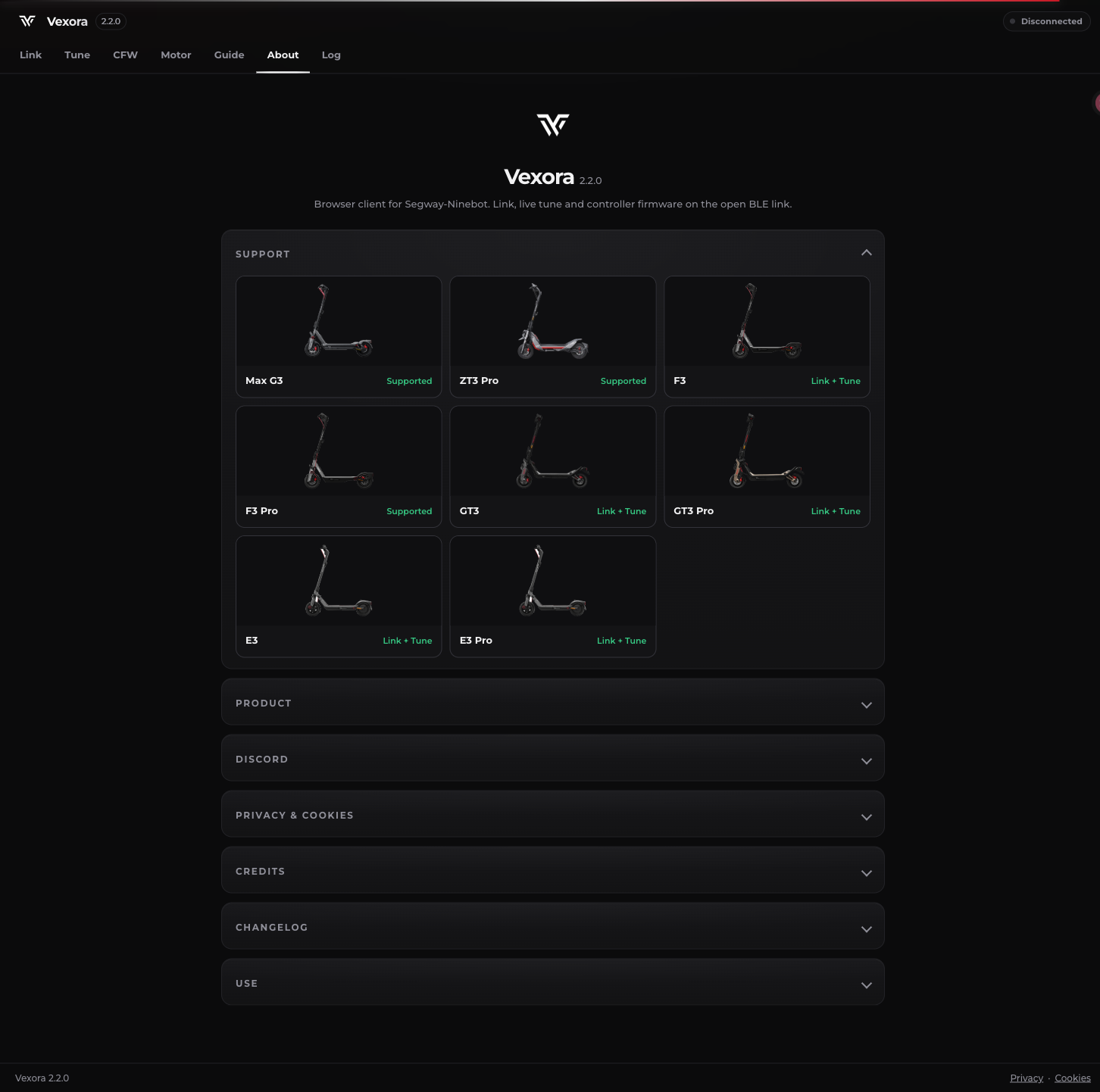
  • Model selection for Max G3, ZT3 Pro, F3, F3 Pro, GT3, GT3 Pro, E3, and E3 Pro.
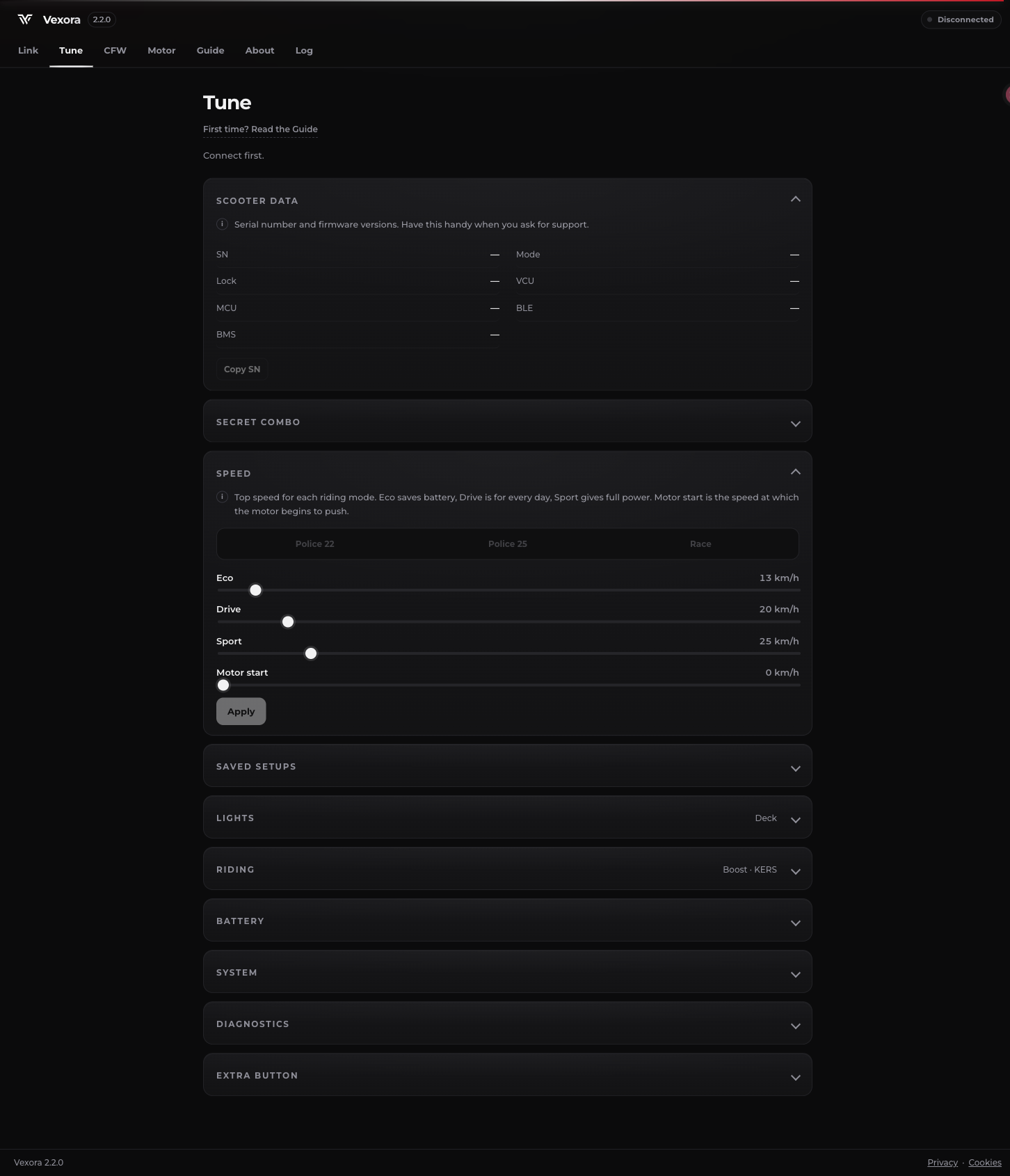
  • Tune controls for everyday settings such as speed modes, lights, riding behavior, battery options, diagnostics, and saved setups.
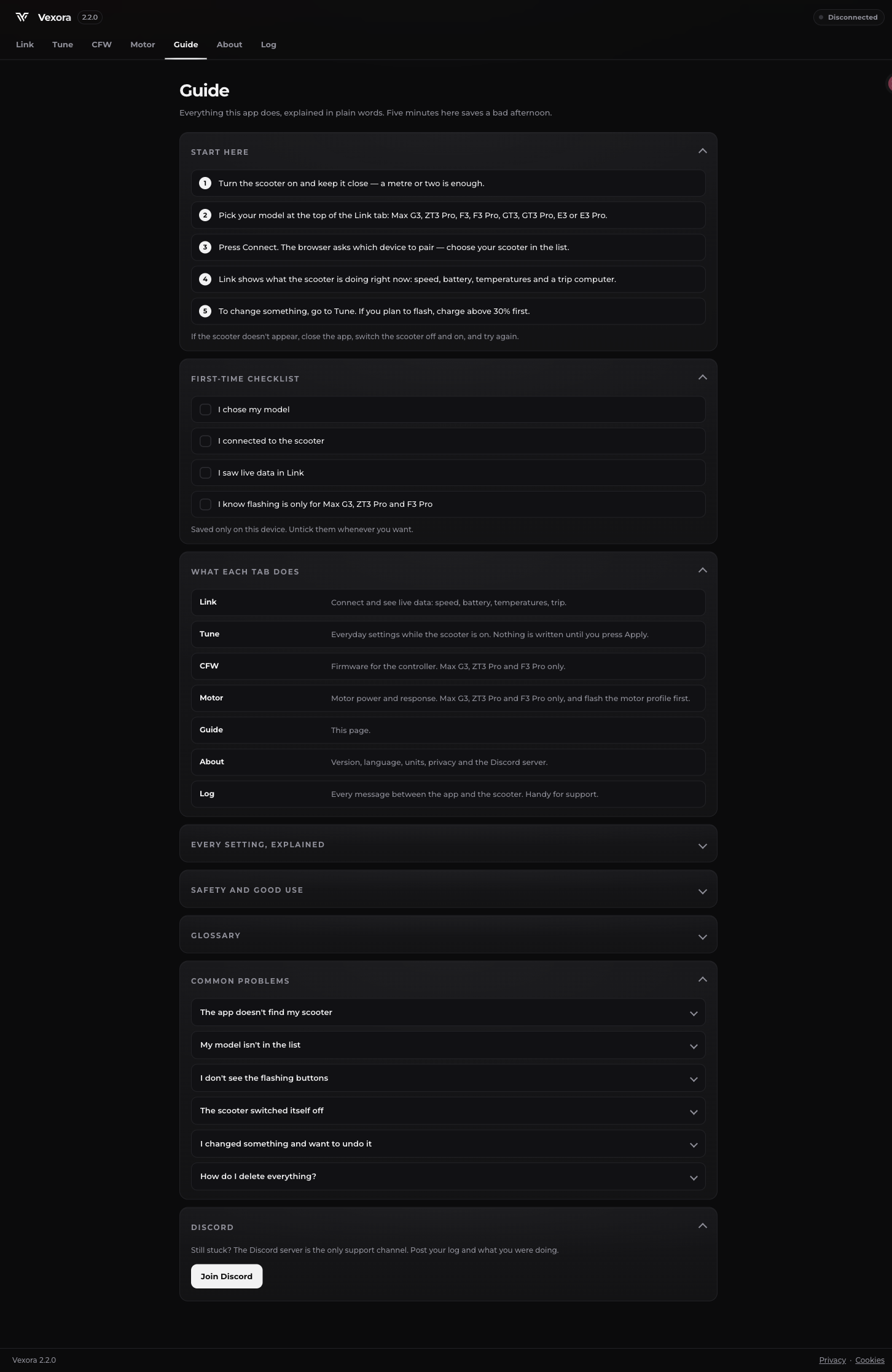
  • CFW firmware tools and Motor controls for supported models, with the Guide warning that flashing is limited to Max G3, ZT3 Pro, and F3 Pro for the relevant functions.
  • An About view with model support labels, version information, privacy and cookie areas, and a Discord support channel.
  • A Log view for reviewing messages exchanged between the app and the scooter, plus CSV and import/export controls visible in the interface.
  • Local-device storage for the first-time checklist and selected settings; the guide says the saved items can be unticked whenever needed.

How It Works

  1. Turn on the scooter and keep it nearby, then choose the scooter model in Link.
  2. Select Connect and choose the scooter from the browser’s Bluetooth device picker.
  3. Confirm live data in Link before changing settings.
  4. Open Tune for everyday settings and press Apply to write a change.
  5. Use CFW or Motor only when the selected model and the guide support the operation; the site advises charging above 30% before flashing.
  6. Use Guide for troubleshooting and Log when support needs the communication history.

Use Cases

  • Monitor live scooter data from a browser without installing a native companion app.
  • Adjust supported riding, speed, light, and battery-related settings from the Tune panel.
  • Inspect firmware or motor options on supported Segway-Ninebot models with the documented model restrictions in mind.

Pricing and Availability

The official page describes Vexora as a private-use browser client and states that it has no trackers or third-party cookies. No pricing table is published, so it is classified as free under the directory rule. A compatible scooter and browser Bluetooth access are required for live connection features.
Screenshots

Vexora Ninebot browser client

Vexora Tune settings

Vexora model support and About

Featured Products

Neogenio SEO & GEO AI Engine

SEO and GEO AI visibility for Businesses and Agencies. Explore its features, pricing, and fit for practical seo tools workflows.

Rankora

SEO simplified. Rankora tells you exactly what to do to rank. Explore its features, pricing, and fit for practical seo tools workflows.

BlogSEO

Rank #1 on Google & ChatGPT on Autopilot. Explore its features, pricing, and fit for practical seo tools workflows. Compare its capabilities and use cases...

Synapse

Find missing topics and outrank competitors in Google AI Overviews. Explore its features, pricing, and fit for practical seo tools workflows.

OranGEO

AI Search Optimization & GEO Analytics Platform. Explore its features, pricing, and fit for practical seo tools workflows.

Conductor AI

Purpose-built AI for AEO and SEO growth. Explore its features, pricing, and fit for practical seo tools workflows. Compare its capabilities and use cases...