
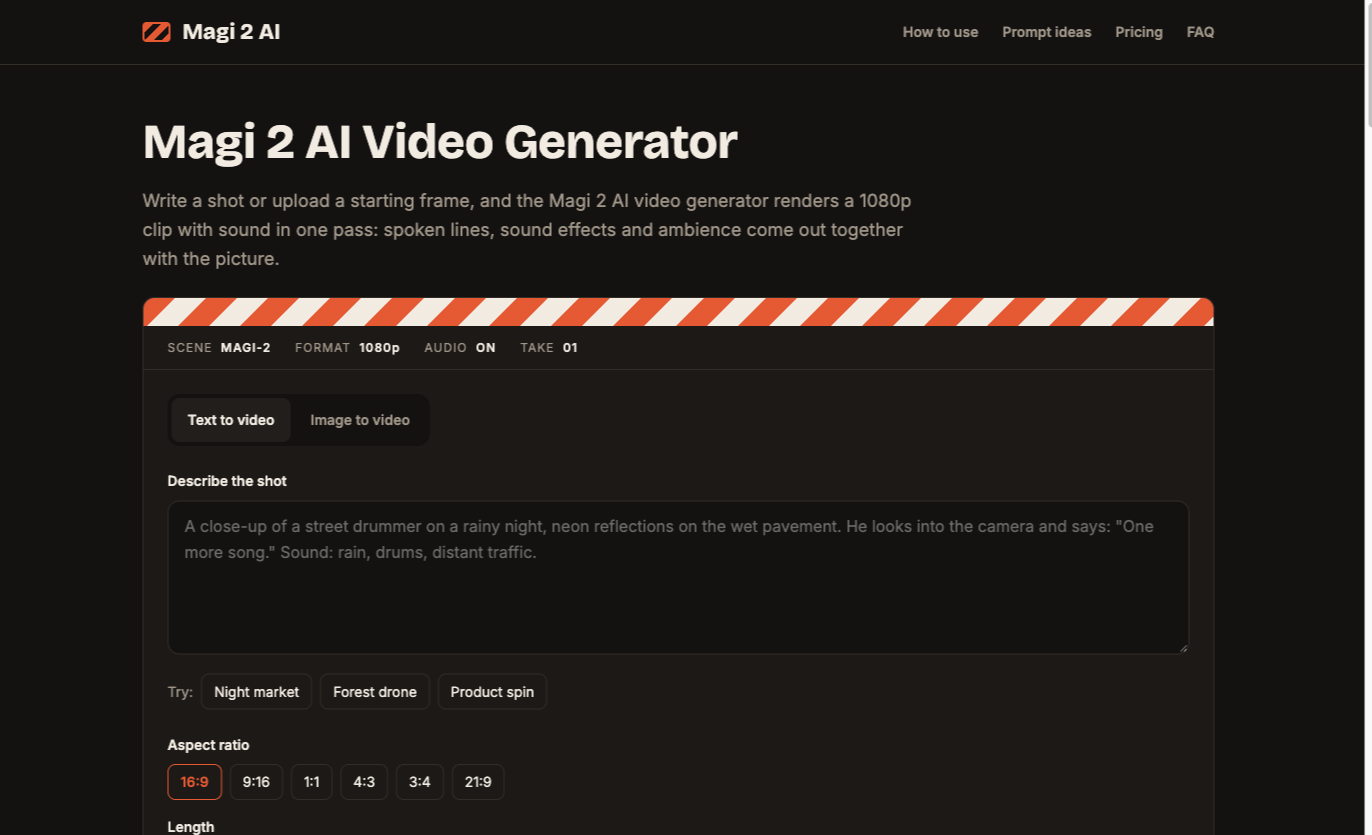
Magi 2 AI is a browser-based video generator that runs MAGI-2, the video model from Sand AI, through a third-party model API. You give it either a written shot description or a photo to use as the first frame, and it returns a 1080p MP4 clip in which the picture and the soundtrack were generated in the same pass. Spoken lines, sound effects and ambience come out of one render, so there is no separate audio step to line up afterwards.
The site is independent. It is not run by or affiliated with Sand AI, and it does not host the model itself: your prompt (and photo, if you use one) is sent to the model provider, and the finished video is stored on the site so you can play it and download it. If you are searching for a way to use MAGI-2 online without installing anything, this is what the page offers: a single generator panel, credit-based billing per second, and a downloadable file at the end.
The output specification published on the official site is short and concrete:
| Setting | What you get |
|---|---|
| Model | MAGI-2 (Sand AI), via a third-party API |
| Resolution | 1080p |
| Clip lengths | 5, 10 or 15 seconds |
| Aspect ratios | 16:9, 9:16, 1:1, 4:3, 3:4, 21:9 |
| Sound | Dialogue, effects and ambience, generated with the video (can be switched off) |
| Inputs | Text prompt, or a JPG/PNG/WebP photo under 5 MB as the first frame |
| Output | MP4 download |
| Cost | 10 credits per second of video |
In Text to video mode you describe the whole scene. MAGI-2 builds the picture and the audio together: if your prompt contains a line in quotes, a character speaks it; if you end the prompt with a line such as "Sound: rain, drums, distant traffic", those sounds run through the clip. A checkbox labelled "Generate sound with the video" controls this, and unticking it gives you a silent clip at the same price, which is useful when you plan to add your own music.
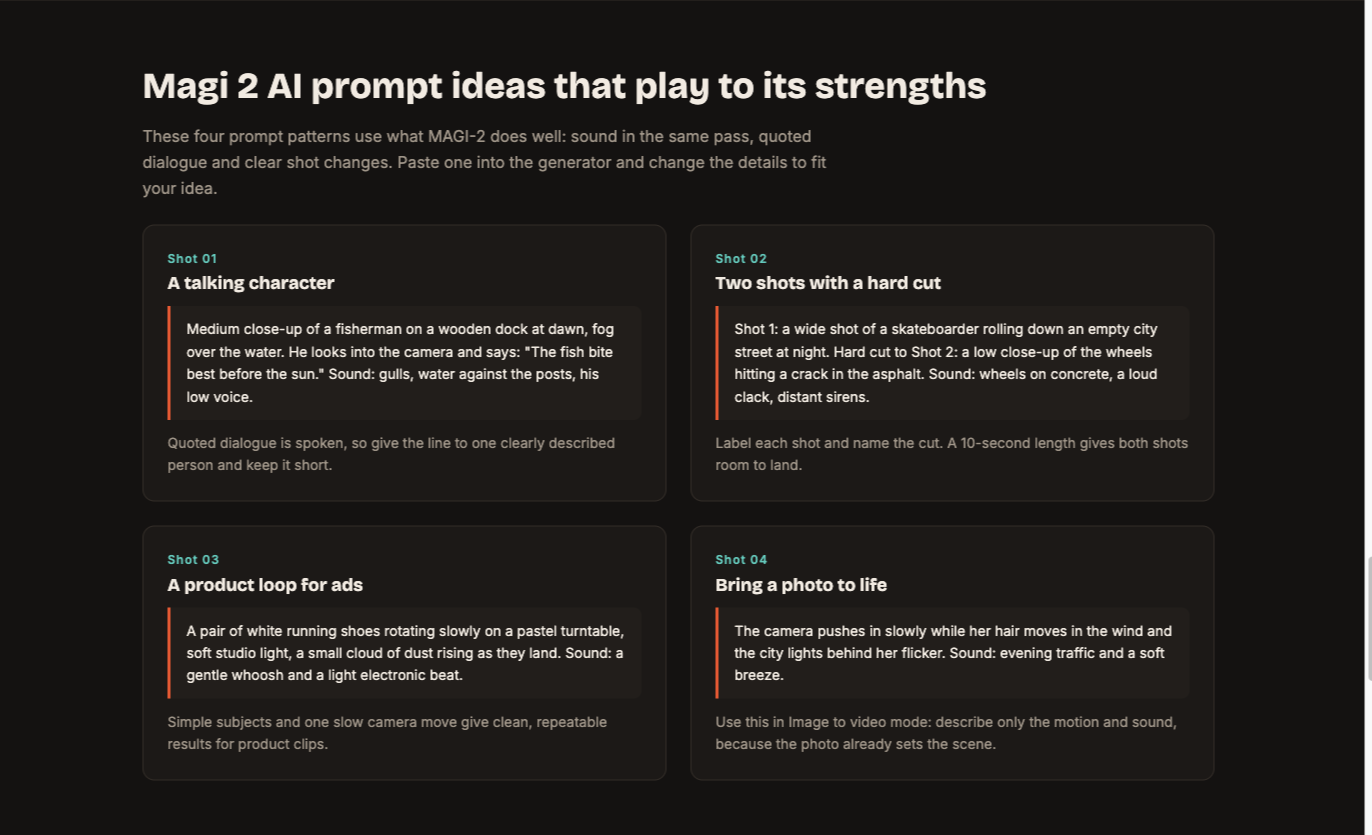
Image to video starts from a photo you upload and keeps its framing and aspect ratio. The official guidance is to describe only the motion and the sound in this mode, because the photo already sets the scene. This is the option to use when a specific face, product or location has to stay the same across takes, instead of re-rolling text prompts and hoping the look holds.
MAGI-2 follows prompts that label shots. You can write "Shot 1", describe a wide shot, then "Hard cut to Shot 2" and describe a close-up, each with its own camera move. The prompt box accepts up to 1,500 characters, which is enough for two or three shots plus a sound line. The site recommends a 10-second length when a prompt contains two shots, so both have room to land.
The generator offers 16:9 for YouTube and websites, 9:16 for TikTok, Reels and Shorts, 1:1 for feeds, and 4:3, 3:4 and 21:9 for other formats. Lengths are fixed at 5, 10 or 15 seconds; the cost shown next to the Generate button updates before you start (50, 100 or 150 credits).
A marketer can describe a simple subject on a turntable with soft studio light and a short sound cue, render a 5-second 16:9 or 1:1 test, and then a final 10-second take. The official prompt ideas note that simple subjects and one slow camera move give clean, repeatable product clips.
A creator who needs a character to say one line can write a medium close-up, give the line in quotes and add a sound line for the setting. Because dialogue is rendered with the picture, the output is a 9:16 clip with voice and ambience that is ready to post without a separate voice-over pass.
Someone with a portrait, a product shot or a location photo can upload it in Image to video mode and describe only the motion, for example a slow push-in with hair moving in the wind and city lights flickering behind. The photo keeps the look fixed while the model adds movement and sound.
The following is one of the prompt patterns published on the official page; we have not run it ourselves.
There are no free credits and no subscription. Credits are bought in one-time packs: $9.99 for 750 credits, $24.99 for 1,875 credits and $49.99 for 3,750 credits, with taxes possibly added at checkout. At 10 credits per second, a 5-second clip costs 50 credits, a 10-second clip 100 and a 15-second clip 150; sound is included at no extra cost. Payments are handled by Stripe. Unused credits can be refunded within 14 days of purchase under the site's refund policy. There is no daily cap, but one clip renders at a time per account. Uploaded photos are deleted from the site after 24 hours, and the site states it does not use photos or videos to train AI models.
What resolution and file format does Magi 2 AI output?
Every clip is rendered at 1080p and delivered as an MP4 you can download from the page. There is no 4K option.
Can I get a clip without sound?
Yes. Untick "Generate sound with the video" before you press Generate. The price stays the same: 10 credits per second.
How do I get several shots in one clip?
Label each part of the prompt ("Shot 1", "Shot 2"), name the cut, and give each shot its own camera move. A 10-second length gives two shots enough room.
Which aspect ratios are supported?
Six: 16:9, 9:16, 1:1, 4:3, 3:4 and 21:9. In Image to video mode the clip keeps the framing of your photo.
What happens if a render fails?
The credits for that attempt are returned to your balance automatically, so you only pay for clips that finish.
You can browse more generators in the AI tools directory and the entertainment and media category.


SEO and GEO AI visibility for Businesses and Agencies. Explore its features, pricing, and fit for practical seo tools workflows.

SEO simplified. Rankora tells you exactly what to do to rank. Explore its features, pricing, and fit for practical seo tools workflows.

Rank #1 on Google & ChatGPT on Autopilot. Explore its features, pricing, and fit for practical seo tools workflows. Compare its capabilities and use cases...

Find missing topics and outrank competitors in Google AI Overviews. Explore its features, pricing, and fit for practical seo tools workflows.

AI Search Optimization & GEO Analytics Platform. Explore its features, pricing, and fit for practical seo tools workflows.

Purpose-built AI for AEO and SEO growth. Explore its features, pricing, and fit for practical seo tools workflows. Compare its capabilities and use cases...