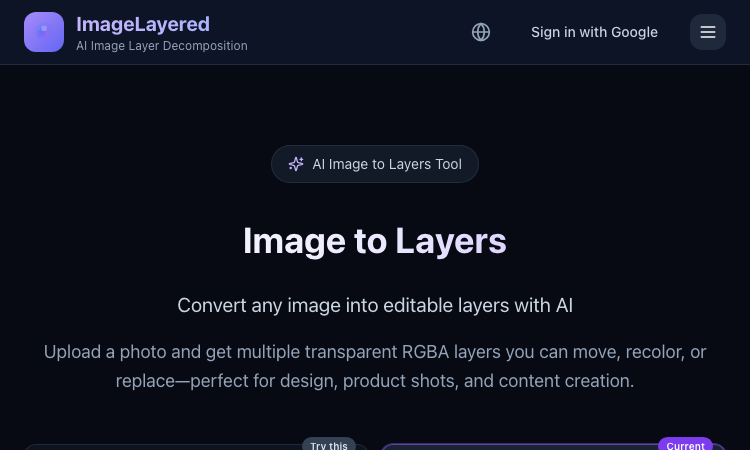
Image to Layers Official Website
Image to Layers is an AI image layer decomposition tool that turns one flat image into multiple editable transparent RGBA layers.
Official app: https://imagelayered.com/image-to-layers
Creator: ImageLayered
Price: Credit-based — from $0.10 per output layer; charged only for the layers actually produced
Login required: Yes for running jobs (Google sign-in)
Platform: Web
Main use: Converting flat images (JPEG, PNG, WebP, GIF) into editable transparent layer stacks
Last checked: 2026-08-29
Visit Image to Layers
We are not the official developer of Image to Layers. This page helps users find, understand, and use the product.
What Is Image to Layers?
Image to Layers does AI image layer decomposition. You upload one flat image and the AI splits it back into a stack of editable parts: a base image plus transparent RGBA layers for the subjects and supporting elements, each downloadable as its own PNG. Unlike a background remover, which gives you a single cutout and discards the rest, it also fills in hidden areas — when objects overlap, the reconstructed background behind them stays usable, so any layer can be moved, recolored, or replaced on its own. The page offers two modes: Quick (1 credit per layer — you just pick the layer count, best for a first split) and Precision (2 credits per layer — named layers with positions, plus an optional prompt describing what to isolate). You choose the layer count between 2 and 13, and you are charged for the actual number of outputs only. Results drop straight into Figma, Photoshop, or any editor that supports alpha channels. The core audience is anyone holding a finished visual with no source file: e-commerce teams reworking product shots, designers building mockups, and marketers adapting campaign stills to new sizes.
How to Use Image to Layers
Open the official Image to Layers page at https://imagelayered.com/image-to-layers.
Upload an image by dragging it in or clicking the upload area. JPEG, PNG, WebP, and GIF are supported; Precision mode requires PNG or JPEG of at least 512×512 px.
Pick how many layers you want (2–13, including the base image) and optionally add a prompt to guide grouping — e.g. "Output a layer for every person."
Choose Quick or Precision mode and run the conversion. The AI separates elements and rebuilds occluded areas.
Review the result (selecting a layer highlights where it sits in the original), then download the transparent PNG layers you need.
Is Image to Layers Safe?
Registration/login: Signing in with Google is required to run jobs; the header shows a "Sign in with Google" option rather than a separate password account.
Uploads: You upload images for processing. The site carries Privacy Policy and Terms of Service links, and there are no visible third-party ads or forced redirects.
Payment: Usage is credit-based at roughly $0.10 per output layer (Quick mode 1 credit, Precision mode 2 credits per layer), charged only for actual outputs. Expect a checkout step for buying credits.
Ads/popups: None observed on the page itself, though the footer cross-promotes a sister tool (PSL Scale).
Domain/hosting: imagelayered.com, served over HTTPS.
Why Is Image to Layers Popular?
Image to Layers rides a real workflow pain: more and more visuals are produced as final flat files — AI-generated art, screenshots, bought assets — with no layered project behind them, and "image to layers" searches spiked as AI layer-decomposition models (like the Qwen image-layered approach the site also references) made automatic splitting practical. Its practical appeal over manual masking is speed: a product photo that once needed careful selection work becomes a movable layer stack in one upload. There is no single public source showing where the trend originated; it appears to spread through direct sharing and word-of-mouth among designers and e-commerce sellers.
Image to Layers Not Working?
Refresh the page.
Open it in another browser.
Disable ad blockers temporarily.
Make sure you are signed in and have credits in your balance.
Check that your file meets the mode's limits (Precision needs PNG or JPEG, ≥512×512 px).
Try again later if the developer is updating the app.
The original Image to Layers website was online as of 2026-08-29.
Image to Layers Alternatives
Magic Layers (magiclayers.net) — similar layer separation with 2–12 named layers per image and monthly credit plans.
remove.bg — faster and cheaper when you only need one subject cut out on a transparent background.
Photopea — a free browser editor for manually building or refining layers after separation.
Frequently Asked Questions
What is the official Image to Layers website?
The official page is https://imagelayered.com/image-to-layers, part of the ImageLayered site.
Is Image to Layers free?
It is credit-based: Quick mode costs 1 credit per layer and Precision mode 2 credits per layer (about $0.10 per output layer), and you are charged only for the layers actually produced. The site's footer also describes the underlying decomposition technology as free and open source.
Do I need an account to use Image to Layers?
Yes — running a conversion requires signing in with Google.
What image formats does Image to Layers support?
Uploads accept JPEG, PNG, WebP, and GIF; Precision mode requires PNG or JPEG of at least 512×512 pixels.
Can I control how many layers I get?
Yes. You pick a count between 2 and 13 (the count includes the base image), and in Precision mode you can add a prompt describing what to isolate — the prompt guides grouping but never changes the count.
Is Image to Layers still available?
Yes — the site was live and functioning as of 2026-08-29.

SEO and GEO AI visibility for Businesses and Agencies. Explore its features, pricing, and fit for practical seo tools workflows.
SEO simplified. Rankora tells you exactly what to do to rank. Explore its features, pricing, and fit for practical seo tools workflows.

Rank #1 on Google & ChatGPT on Autopilot. Explore its features, pricing, and fit for practical seo tools workflows. Compare its capabilities and use cases...

Find missing topics and outrank competitors in Google AI Overviews. Explore its features, pricing, and fit for practical seo tools workflows.

AI Search Optimization & GEO Analytics Platform. Explore its features, pricing, and fit for practical seo tools workflows.

Purpose-built AI for AEO and SEO growth. Explore its features, pricing, and fit for practical seo tools workflows. Compare its capabilities and use cases...