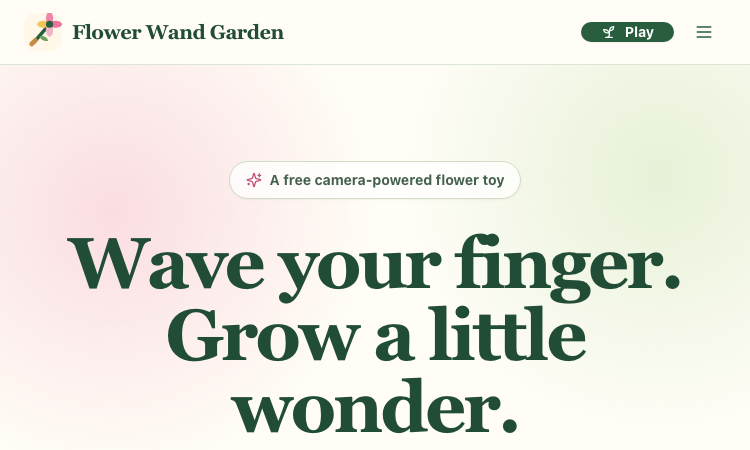
Flower Wand Garden
Flower Wand Garden is a free, browser-based flower toy that turns any phone or computer camera into a magical planting ground. Flower Wand Garden detects your index fingertip in real time using MediaPipe hand landmark tracking and turns every gesture into blooming flowers that decorate the live camera view. There is no app to install, no account to create, and no video editor to learn. You simply allow the camera, hold your finger still for one second, and watch a flower blossom right on your screen.
Key Takeaways (TL;DR)
Flower Wand Garden requires zero setup: open the page, allow camera access, and start planting flowers immediately
Every bloom is drawn with original art and soft animations, so results look playful and handcrafted rather than generic
Users can capture the finished scene as a clean JPEG photo or a 15-second vertical video clip
All hand tracking and media composition happen locally in the browser, which keeps camera data private by default
The tool is completely free, with no accounts, subscriptions, or forced watermarks (an optional watermark can be toggled off)
Table of Contents
What is Flower Wand Garden?
How flower wand garden works
Camera tracking made simple
Photo mode and video mode
Privacy by design
Who is Flower Wand Garden for?
Pro tips for better results
What is coming next
Flower Wand Garden FAQ
What is Flower Wand Garden?
Flower Wand Garden is a camera-powered flower toy for people who want to make something beautiful in seconds. Instead of drawing on a blank canvas, you plant flowers directly into your own living space. The camera frames whatever is in front of you — a desk, a garden, a birthday table, or a child's face — and Flower Wand Garden grows animated flowers wherever you point your finger.
The interaction is deliberately simple. A small progress ring appears at your fingertip. Hold still for one second and the ring fills, planting the first flower. Keep holding and more flowers appear every half second, letting you draw flower borders, clusters, and trails across the scene. Release, move to a new spot, and plant again. The whole experience feels like waving a magic wand, which is exactly what the name promises.
How flower wand garden works
The magic happens in three steps. First, you allow camera access — the site asks permission once and explains exactly why the camera is needed. Second, you point at the scene and pause; a progress ring shows that the gesture is being recognized. Third, you capture the moment as a photo or a short video clip.
Because the experience is built for the browser, it works on phones, tablets, and laptops without any downloads. This makes it perfect for spontaneous creativity: at a party, in a classroom, or during a quiet afternoon at home, Flower Wand Garden is always one tab away.
Camera tracking made simple
Under the hood, Flower Wand Garden uses 21 hand landmarks to track the index fingertip precisely. The tracking is tuned to feel forgiving: you don't need perfect lighting or a steady hand to see results. A visible progress ring gives immediate feedback, so even young children can understand what to do within seconds.
The tips section of the site covers practical improvements for tracking — good lighting, palm facing the camera, and a comfortable distance. These small adjustments make a noticeable difference, and the site explains them clearly for people who have never used camera apps before.
Photo mode and video mode
When your flower arrangement is ready, you can capture it in two ways. Photo mode produces a clean JPEG that combines the camera frame with the planted flowers, and it deliberately excludes the tracking skeleton so the final image looks natural. Video mode records up to 15 seconds of footage with a built-in timer and auto-stop, which is ideal for TikTok, Reels, and Shorts.
Both outputs are easy to share. Where the device supports it, Flower Wand Garden opens the native share sheet; otherwise it downloads the file directly. No editor, no export settings, no watermark required.
Privacy by design
A camera tool carries a responsibility, and Flower Wand Garden takes privacy seriously. All hand detection and media composition are performed locally in the browser; nothing is uploaded to a server. The camera feed exists only on your device, and you choose exactly what to share and when. This local-first approach is a core reason why families and educators can trust the tool with children.
Who is Flower Wand Garden for?
The audience is wonderfully broad. Families use it as a playful activity for birthdays and parties, turning the camera into a flower-themed photo booth. Teachers use it in classrooms to teach patience, steady poses, symmetry, and even the basics of computer vision. Casual creators use it to produce vertical clips for social media without opening a video editor. Anyone who enjoys gentle, creative play can find joy in Flower Wand Garden .
Pro tips for better results
For the best blooms, sit near a window or a soft light source so the hand is well lit. Keep your palm facing the camera and hold your finger about an arm's length away. Move deliberately rather than quickly, and let the progress ring fill completely before changing position. These simple habits make tracking smoother and arrangements more precise.
What is coming next
The roadmap includes a moderated Public Garden where users can share their creations, seasonal flower collections, color themes, constellation drawing, and collaborative sessions. The first release focuses on getting the core gesture right, and the future features build on that foundation.
Flower Wand Garden FAQ
Q: Is Flower Wand Garden really free?
A: Yes. There are no payments, tiers, or subscriptions anywhere on the site.
Q: Does Flower Wand Garden upload my camera feed?
A: No. All processing happens locally in the browser, and nothing is uploaded.
Q: Which devices are supported?
A: Any modern phone, tablet, or laptop with a camera and browser access.
Q: Can I remove the watermark?
A: The watermark is optional and can be toggled on or off at any time.
Q: How do I record a video?
A: Switch to video mode and Flower Wand Garden records up to 15 seconds with a timer and auto-stop.
Summary and recommendations
Flower Wand Garden turns a common phone feature — the camera — into a source of wonder. It is free, private, and fun for every age. Open the site, wave your finger, and grow a little wonder.

SEO and GEO AI visibility for Businesses and Agencies. Explore its features, pricing, and fit for practical seo tools workflows.

SEO simplified. Rankora tells you exactly what to do to rank. Explore its features, pricing, and fit for practical seo tools workflows.

Rank #1 on Google & ChatGPT on Autopilot. Explore its features, pricing, and fit for practical seo tools workflows. Compare its capabilities and use cases...

Find missing topics and outrank competitors in Google AI Overviews. Explore its features, pricing, and fit for practical seo tools workflows.

AI Search Optimization & GEO Analytics Platform. Explore its features, pricing, and fit for practical seo tools workflows.

Purpose-built AI for AEO and SEO growth. Explore its features, pricing, and fit for practical seo tools workflows. Compare its capabilities and use cases...