Concepts App
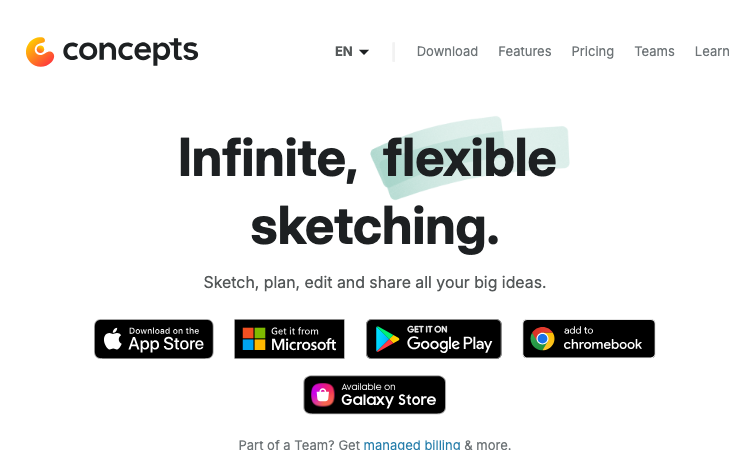
Concepts App is an infinite, flexible sketching platform built for visual thinkers. It treats every idea as a concept and gives writers, designers, architects, illustrators, and product teams a single canvas to capture notes, mind maps, mood boards, plans, and finished illustrations. The product has been named an Editors’ Choice selection on the Apple App Store, the Microsoft Store, and Google Play, and is published by TopHatch.
Under the hood, every stroke on the canvas is an editable vector. Users can sketch with realistic pencils, pens, wire, and marker-style brushes that draw on a vector-raster hybrid, and they can adjust, recolor, or reposition any line without redrawing. The built-in color system uses designer COPIC colors licensed from Too Corporation and is paired with HSL and RGB color wheels. Precision tools such as grids, line smoothing, live snap, shape guides, real-world scale, and measurement keep expressive work accurate.
Sharing and collaboration are first-class features. A built-in Presentation Mode lets users share the live canvas with teammates or clients during video calls, making the app useful as a remote whiteboard alongside tools like Zoom. Users can drop in PDF and image files, mark them up with annotations, and export the results through PDF, PNG, PSD, SVG, DXF (AutoCAD), and other formats. Object libraries, custom brushes, infinite layers, and custom grids support reusable design systems that move across projects.
Pricing is flexible and varies by region. The free Basic tier provides an infinite sketchbook with five layers, COPIC/HSL/RGB color wheels, paper and grid types, and basic JPG exports. Pro adds more than 200 libraries and features for $4.99 per month or $29.99 per year, with a seven-day free trial. Essentials and add-on packs such as brushes, object libraries, and PDF exports are available as one-time purchases between $1.99 and $39.99 per item. Businesses can deploy managed Pro licenses, and qualifying schools can unlock the product free of charge.
Concepts App is available on iOS, Windows, Android, and ChromeOS, with active development toward cross-platform parity. It is widely used for architecture, illustration, note-taking, product design, UI/UX design, visual thinking, and remote whiteboarding, particularly when paired with a stylus.

SEO and GEO AI visibility for Businesses and Agencies. Explore its features, pricing, and fit for practical seo tools workflows.

SEO simplified. Rankora tells you exactly what to do to rank. Explore its features, pricing, and fit for practical seo tools workflows.

Rank #1 on Google & ChatGPT on Autopilot. Explore its features, pricing, and fit for practical seo tools workflows. Compare its capabilities and use cases...

Find missing topics and outrank competitors in Google AI Overviews. Explore its features, pricing, and fit for practical seo tools workflows.

AI Search Optimization & GEO Analytics Platform. Explore its features, pricing, and fit for practical seo tools workflows.

Purpose-built AI for AEO and SEO growth. Explore its features, pricing, and fit for practical seo tools workflows. Compare its capabilities and use cases...