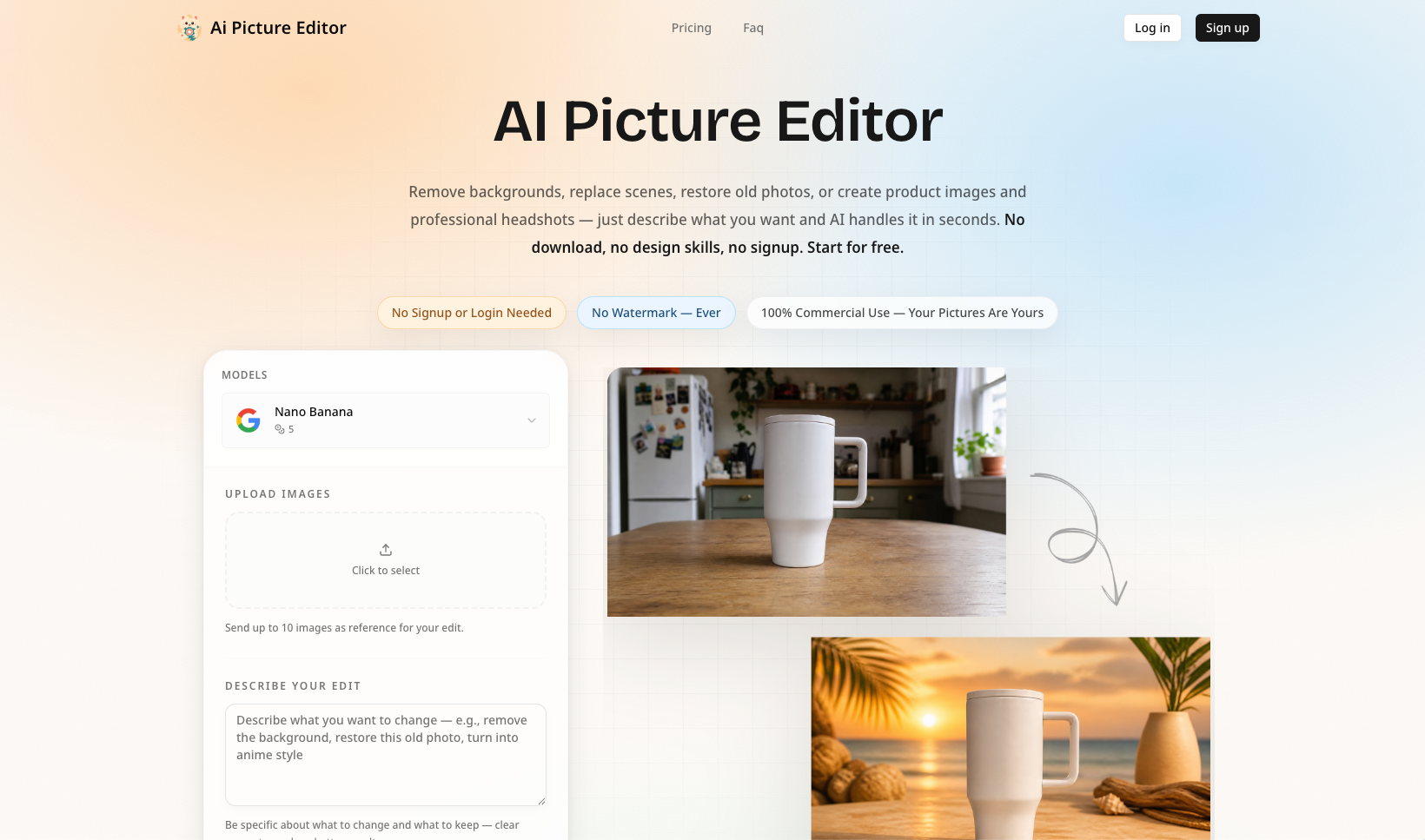
Edit Any Photo by Describing What You Want
Ai Picture Editor is a free, browser-based AI photo editor that turns plain-English instructions into polished image edits. Upload a picture, describe the change you want, and let AI handle the selections, masking, reconstruction, and enhancement.
There is no software to install and no complicated layer-based workflow to learn.
What You Can Do
Remove backgrounds: Automatically isolate people, products, pets, and other subjects with clean edges.
Replace backgrounds: Move a subject into a studio, office, beach, city, or any scene you describe.
Erase unwanted objects: Remove photobombers, logos, clutter, or distracting items and reconstruct the missing area naturally.
Restore old photos: Repair scratches, reduce noise, sharpen faces, and recover natural colors.
Retouch portraits: Improve lighting, remove minor blemishes, preserve natural skin texture, and create professional headshots.
Apply creative styles: Transform photos into anime, watercolor, cinematic, sketch, and other artistic looks.
Enhance image quality: Sharpen blurry details, correct lighting, improve colors, and upscale low-resolution images.
Create product images: Turn a simple product photo into polished imagery for stores, advertisements, and social media.
How It Works
Upload your image
Add a JPG, PNG, or WEBP file up to 25 MB.
Describe your edit
Write a clear instruction such as “replace the background with a modern studio, but keep the product unchanged.”
Preview and refine
Compare the result with the original and adjust your prompt if you want another variation.
Download your image
Export a clean, watermark-free result ready for personal or commercial use.
Prompt Templates Included
Not sure what to write? Ai Picture Editor provides ready-to-use prompt templates for common tasks, including:
Background removal and replacement
Object removal
Portrait retouching
Old-photo restoration
Image quality enhancement
Artistic style transfer
Choose a template, customize the details, and send it directly to the editor.
Built for Real-World Workflows
Ai Picture Editor is useful for:
E-commerce sellers creating consistent product listings
Social media creators producing platform-ready visuals
Photographers speeding up repetitive post-processing
Small businesses creating professional marketing assets
Job seekers generating polished profile photos
Families restoring old and damaged photographs
Private, Accessible, and Easy to Use
Your uploaded images are processed privately and automatically deleted after processing. They are not used to train AI models or shared with other users.
The editor works directly in modern desktop and mobile browsers. You can start for free, download without a watermark, and use your edited images commercially without attribution.
Upload a photo, describe the result, and create a polished image in seconds.

SEO and GEO AI visibility for Businesses and Agencies. Explore its features, pricing, and fit for practical seo tools workflows.
SEO simplified. Rankora tells you exactly what to do to rank. Explore its features, pricing, and fit for practical seo tools workflows.

Rank #1 on Google & ChatGPT on Autopilot. Explore its features, pricing, and fit for practical seo tools workflows. Compare its capabilities and use cases...
Find missing topics and outrank competitors in Google AI Overviews. Explore its features, pricing, and fit for practical seo tools workflows.
AI Search Optimization & GEO Analytics Platform. Explore its features, pricing, and fit for practical seo tools workflows.

Purpose-built AI for AEO and SEO growth. Explore its features, pricing, and fit for practical seo tools workflows. Compare its capabilities and use cases...